Social Media Review
Seven checks you can do by hand, no analytics tools, no logins, no agency required.
45 minutes · PDF
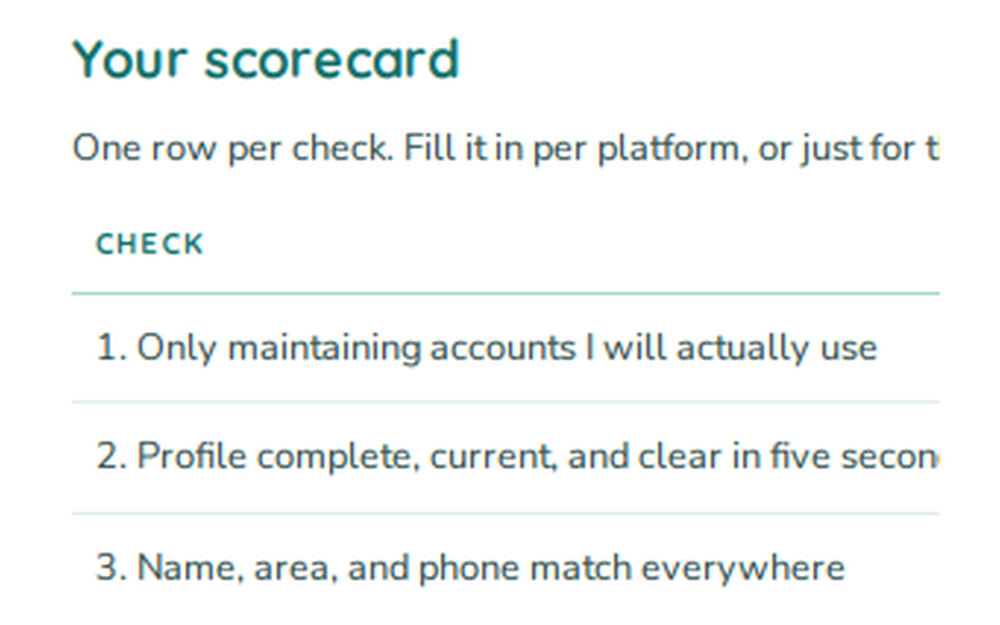
- 1Decide which accounts actually matter
Audit only the platforms your customers use; ignore the ones you opened and abandoned.
- 2Look at your profile the way a stranger does
Bio, link, and profile photo should say who you are and what to do in one glance.
- 3Does your basic information match everywhere?
Name, phone, hours, and address should be identical across every profile and your site.
- 4The honest posting audit
How often do you really post, and is it useful to a customer, or just noise?
- 5Find what actually got a reaction
Look at your top posts and do more of what earned real comments and shares.
- 6Are you answering people?
Unanswered comments and DMs read as "nobody's home." Check your response habits.
- 7The photo test
Would your best work make someone stop scrolling? Real job photos beat graphics.
Want it to keep?
Enter your email and download the PDF to keep. Printable and offline, so you can save and reuse it.
We'll save your email to send the occasional update worth reading. No spam, unsubscribe any time.
Before a customer calls you, they look you up. Google first, then usually a social profile. Whatever they find in those thirty seconds decides whether they dial your number or the next one on the list.
Most service businesses have no idea what that thirty seconds looks like. This free tool tells you.
What Gets Checked
You give it your business name and your profile links. It looks at your public presence the way a suspicious homeowner would.
It checks whether the basics are complete and consistent: business name, phone number, service area, hours, and website link, and whether they match across profiles. A phone number that differs between your Facebook page and your Google listing is a trust problem and a search problem at the same time.
It checks recency. When you last posted, and whether the account looks abandoned. An empty profile is better than one that has not been touched since 2022, because abandoned looks like out of business.
It checks whether there is any proof of work. Photos of real jobs, real trucks, real crews, or just a logo and a stock image of a wrench.
It checks whether reviews and comments get responses, including the negative ones. And it checks whether a first-time visitor can figure out how to hire you in under ten seconds.
You enter your email to get the results.
How to Use It
Run it on every profile you have, including the one you forgot about. Old accounts nobody manages are the ones most likely to be hurting you, because they still rank and they still show an out-of-date phone number.
Do not clean anything up before you run it. The point is to see what a customer sees today. Fixing it first and then testing tells you nothing.
If you have a personal profile that customers find, run it on that too. In the trades, plenty of work comes through the owner's personal account, and it is being judged the same way.
How to Read the Output
You get a scored breakdown by category and a list of specific problems, ordered by how much they cost you.
Red items are trust problems. Wrong phone number, wrong hours, dead link, unanswered one-star review sitting at the top of your page, no posts in over a year. These lose you calls from people who were already close to hiring you. Fix all of them this week. Most take under an hour combined.
Yellow items are conversion problems. No photos of actual work, no service area listed, no obvious way to book, generic profile picture. These lose you the customers who are still deciding. Fix them this month.
Green items are growth items. Post frequency, content variety, engagement. These matter, but they matter far less than most social media advice suggests. A trades business with accurate information, twenty photos of real jobs, and answered reviews will out-convert a business posting daily to an empty profile.
Read your negative reviews and the responses next to them. A calm, specific reply to a bad review does more for a hesitant customer than any post you will ever write.
What to Do Next
Fix the reds today. Correct information costs nothing and it is the highest-return work available.
Then build a photo habit. Ask your techs to take two photos on every job, one before and one after. Those photos are your best marketing asset and they are free. Systems built by MinnSight capture job photos as part of the close-out, which turns the habit into a byproduct of the work instead of another thing to remember.
Then answer every review within a few days, good and bad. If you are not getting many reviews, that is the real problem, and it is fixed by asking automatically after every completed job rather than by posting more.
Then check who you are being compared against. Run find your real competitors and look at their profiles next to yours.
See What Your Customers See
Enter your business name and your profile links and get the honest version. Free, and nobody will call you about it.
# GROUP 3: HUB PAGE REWRITES
---
Common questions
You need accurate, credible profiles that pass a thirty second check. You probably do not need a content strategy. Those are different things, and most advice aimed at trades conflates them.
Your Google Business Profile does most of the work, followed by Facebook in most markets. Everything else is optional for most shops. The tool weights results accordingly.
Twice a year, plus any time you change your phone number, hours, or service area. Stale information is the most common and most expensive problem this tool finds.